We independently research everything we recommend. When you buy through our links, we may earn a commission. Learn more ›
Images & Video · Buying Guides
The Best Image-to-Video AI
Google Flow, running Gemini Omni Flash, is the best image-to-video AI for most people: a top-five model in blind votes, start and end frames, sound and free daily credits. Luma offers the widest menu of top-ranked models, and Pika is the cheapest way into several leaders.
The widest menu of top-ranked image-to-video models
Luma’s Plus plan puts MiniMax H3 at up to 2K, Seedance 2.5 at up to 1080p, Gemini Omni Flash, Kling 4.0 and Luma’s own Ray models behind one credit balance, with commercial use.
First and last keyframes, camera-motion presets and a video model trained on licensed content, with partner models from Google, Kling, Runway and Luma in the same app.
The Research Score rates each product on its own merits. Our picks also weigh price and who the product is for, so a pick can rank above a higher-scoring product. How we score
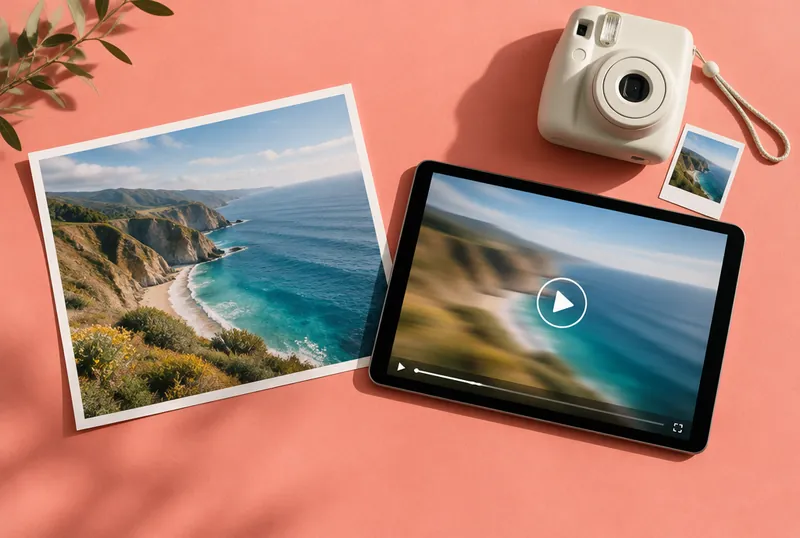
Image-to-video AI takes a still picture, such as a photo, a product shot, a drawing or an AI-generated image, and turns it into a short moving clip. Because the picture fixes the subject, composition and lighting, you mostly describe the motion: the camera pushes in, the person turns and smiles, the waves start rolling. The best tools now also generate sound and let you set both the first and the last frame, so the clip lands exactly where you want it.
For most people, Google Flow is the best place to start. Its Gemini Omni Flash model ranked fourth for image-to-video with audio, and first without, on Artificial Analysis’s blind-vote leaderboard at the time of research, and everyone gets 50 free credits a day. Luma puts most of the top-ranked models, including the leader, MiniMax H3, behind one plan, Pika is the budget way into four of the top five models, and Adobe Firefly is the cautious choice for commercial work.
✓ for Firefly models; partner models at your judgment
7.3
Why you should trust us
We considered 14 image-to-video tools and models for this guide. We read their official pricing pages, help-center articles, terms of service and privacy policies, company announcements, and the independent Artificial Analysis image-to-video leaderboard, where validated evaluators vote blind between two clips made from the same input image. Every pick is scored with our published Research Score. We did not generate videos ourselves for this guide; quality claims come from the leaderboard and the companies we name.
Who this is for
This guide is for anyone who wants to bring a still image to life: an old family photo, a product shot for a store listing, a character you drew or an image you made with an AI image generator. If you want to make clips from a text prompt alone, our guide to the best AI video generator covers that, and several tools overlap. If you want a talking presenter or a full YouTube video, see the best AI video generator for YouTube.
How we picked
A model that ranks well at inventing scenes can still struggle to keep your photo’s face, product or style intact once things move, so we weighted image-specific evidence first:
Image-to-video quality, judged by Artificial Analysis’s image-to-video leaderboard. It has two categories: with audio, rated only from validated private evaluators’ votes, and silent, which also includes public Video Arena votes cast before 2026. The with-audio board listed 23 models when we checked, with Kling 3.0 1080p (Pro) as the fixed reference point at 1000.
Frame control: whether you can set a start frame, an end frame or several keyframes, and use reference images for characters or products.
Clip length, resolution and sound per generation.
Free tier and real cost: credits per clip and whether free output is watermarked or licensed.
Commercial rights: whether the plan you can afford lets you use the clip in paid work.
Privacy: whether your uploaded photos and prompts train the company’s models, and whether you can opt out. This matters more than usual when the input is a photo of a real person.
Candidates we considered: Google Flow (Gemini Omni Flash), Hailuo (MiniMax H3), Pika, Luma, Adobe Firefly, Kling, Runway, Higgsfield, Dreamina (ByteDance Seedance 2.5), Alibaba’s Wan 3.0, Black Forest Labs’ FLUX 3, Grok Imagine Video, Google Veo 3.1 and Vidu.
Top pick · The best image-to-video AI for most people
GF
Google Flow (Gemini Omni Flash)
8.2/10
A top-five image-to-video model with sound, start and end frames, free daily credits and a $4.99 entry plan.
Gemini Omni Flash is Google’s newest video model, and Flow is the creative studio where it runs. Google says Omni can combine images, audio, video and text as input, and that image references let you use “images of characters, scenes or drawings.” Its examples include turning a drawing into realistic footage. On August 27, 2026, Google added start and end frames to Flow with Gemini Omni 1.1 Flash, which it says helps keep characters and the story consistent as the clip moves from one frame to the next.
The quality evidence is the strongest of any tool here that’s free to try. On Artificial Analysis’s image-to-video leaderboard, Gemini Omni Flash 1.1 ranked fourth of 23 models with audio when we checked, and the leaderboard’s FAQ lists it first in the silent category.
Google’s help center says everyone gets 50 Flow credits a day, subscriber or not. An Omni clip at 720p costs 7 credits for 4 seconds and 15 credits for 10 seconds, and a 360p draft costs 4 to 7 credits, so you can try several ideas for free every day. Google AI Plus ($4.99 a month) adds 200 monthly credits and Pro ($19.99) adds 1,000. Subscribers get free 1080p upscaling, and Google says finished clips can be exported in 1080p or 4K.
Flaws but not dealbreakers
Ten seconds per clip is the ceiling. Free users can’t upscale, unused daily credits don’t roll over, and Google warns that free users may not be able to generate video between roughly 2 p.m. and 5 p.m. UTC. 4K upscaling is limited to Ultra subscribers (from $99.99 a month). We didn’t find a separate commercial license for Flow, so read Google’s terms before client work.
Flow’s privacy notice says Google uses your prompts, uploads and outputs to improve its models unless you turn off “Help improve Flow.” Human reviewers see a sample, disconnected from your account, and reviewed items are kept for up to 18 months even after you delete them. Google asks you not to submit anything you wouldn’t want a reviewer to see, which is worth remembering before you upload family photos.
Who it’s for
Anyone who wants to animate photos or artwork with good quality and sound without a dedicated video subscription.
Who should skip it
You need clips longer than 10 seconds, or you won't accept Google using your Flow data to improve its models unless you switch it off.
Pros
Ranked 4th for image-to-video with audio and 1st in the silent category on Artificial Analysis
Start and end frames, plus image references for characters and scenes
50 free Flow credits a day; a 10-second 720p clip costs 15
Every Omni video carries Google's invisible SynthID watermark
Cons
Clips top out at 10 seconds
Free users can't upscale, and video generation may pause at peak hours
Reviewed data is kept up to 18 months, even after you delete it
Research Score
8.2/10
Features (30%)9
Value for money (25%)9
Privacy & security (20%)6
Compatibility (15%)8
Docs & support (10%)8
Free (50 Flow credits a day); Google AI Plus $4.99/month (200 extra credits); Google AI Pro $19.99/month (1,000 credits) (at the time of research)
Affiliate link · price at the time of research, may have changed
Runner-up · The widest menu of top-ranked image-to-video models
L
Luma
6.9/10
Luma’s Plus plan puts MiniMax H3 at up to 2K, Seedance 2.5 at up to 1080p, Gemini Omni Flash, Kling 4.0 and Luma’s own Ray models behind one credit balance, with commercial use.
Luma’s pricing page lists image-to-video for most of the leaderboard’s top tier: MiniMax H3 and H3 Max, Seedance 2.5, Gemini Omni Flash, FLUX 3, Kling 4.0 and Veo 3.1. Luma’s own Ray3.2 adds HDR output.
Plus costs $30 a month, or $25 a month billed annually, for 10,000 credits, and Luma lists every model’s cost per second. MiniMax H3 costs 28 credits a second at 768p and 46 at 2K, so Plus covers about 70 five-second H3 clips at 768p. Seedance 2.5 costs 78 credits a second at 720p and 191 at 1080p, and a Gemini Omni Flash clip reserves up to 370 credits. Plus includes commercial use; Luma’s terms say you own your output and can use it commercially if it was made during an active subscription on a plan that allows it.
Flaws but not dealbreakers
There’s no free plan on the pricing page, and Luma’s terms limit trial output to internal evaluation. Plus costs six times as much as Google AI Plus, and Luma’s own Ray models weren’t on Artificial Analysis’s leaderboard.
Luma’s privacy policy lists training its AI models as a use of the data it collects and describes no opt-out, and its terms let it train on paid users’ inputs too. It shares data with advertising and analytics partners, with an opt-out right for targeted advertising in covered regions.
Who it’s for
Creators and small studios who want the leading models at higher resolutions, with transparent per-second pricing.
Who should skip it
You want a free plan or a training opt-out; Luma's policy lists model training as a use of your data.
Pros
Image-to-video with MiniMax H3 (up to 2K), Seedance 2.5 (up to 1080p), Kling 4.0, Gemini Omni Flash and FLUX 3
Plus includes commercial use and 10,000 credits a month
Clear per-second credit table for every model and resolution
Cons
$30 a month to start; no free plan on the pricing page
Privacy policy lists AI training with no opt-out
Luma's own Ray models aren't on Artificial Analysis's leaderboard
Research Score
6.9/10
Features (30%)9
Value for money (25%)6
Privacy & security (20%)4
Compatibility (15%)8
Docs & support (10%)7
Plus $30/month or $25/month billed annually (10,000 credits); Pro $90/month; Ultra $300/month (at the time of research)
Affiliate link · price at the time of research, may have changed
Budget pick · The cheapest way into four of the top five models
P
Pika
6.8/10
One subscription from $8 a month covers MiniMax H3, Seedance 2.5, Gemini Omni Flash and Wan 3.0, with commercial use on paid plans and no watermark.
Pika’s pricing page reads like the top of the image-to-video leaderboard. Every plan includes MiniMax H3 (ranked first with audio when we checked), Seedance 2.5 (third), Gemini Omni 1.1 Flash (fourth) and Wan 3.0 (fifth), plus Pika’s own Pika 2.5 and Pikaframes models. If you’re not sure which model suits your photos, this is the cheapest way to compare them.
Starter costs $10 a month, or $8 billed annually, for 900 credits, and includes commercial use. A 5-second 720p clip costs 122 credits with Seedance 2.5 and 33 with Wan 3.0, so Starter covers about seven Seedance clips or 27 Wan clips a month. Pika lists no watermark on any plan.
Flaws but not dealbreakers
The free plan includes no monthly credits; you have to buy credit packs, and free output has no commercial license. The pricing page lists 720p for the partner models it prices and doesn’t give resolutions or costs for MiniMax H3 or Gemini Omni, so check each model’s settings before you commit.
Privacy is the weak spot. Pika’s policy says it may use your inputs and outputs to improve its AI models, with no opt-out described. It also shares data with advertising partners such as Meta and Google, which you can stop through “Your Privacy Choices” or a Global Privacy Control signal.
Who it’s for
Hobbyists and small creators who want to compare the top-ranked image-to-video models without paying for each one.
Who should skip it
You care about privacy; Pika may use your inputs and outputs to improve its models and offers no training opt-out.
Pros
Includes MiniMax H3, Seedance 2.5, Gemini Omni 1.1 Flash and Wan 3.0
Starter $10/month or $8/month billed annually, with commercial use
No watermark on any plan, according to its pricing page
Cons
Free plan has no monthly credits and no commercial license
Pricing page lists 720p for the partner video models it prices
Shares some data with ad partners unless you opt out
Research Score
6.8/10
Features (30%)8
Value for money (25%)8
Privacy & security (20%)4
Compatibility (15%)7
Docs & support (10%)6
Free plan (credit packs only); Starter $10/month or $8/month billed annually; Creator $35/month ($28 annually); Fancy $95/month ($76 annually) (at the time of research)
Affiliate link · price at the time of research, may have changed
Also great · The safest choice for commercial work
AF
Adobe Firefly
7.3/10
First and last keyframes, camera-motion presets and a video model trained on licensed content, with partner models from Google, Kling, Runway and Luma in the same app.
Firefly is the pick when legal risk matters more than chasing the top model. Its help center describes a simple photo-animation workflow: upload an image as the first frame, optionally add a last frame, and Firefly treats both as fixed points. With only a first frame, you can pick a camera move such as zoom, pan, tilt, static or handheld. You can also grab a frame from a clip you already made to chain shots together.
Adobe says the Firefly Video model is trained on licensed content such as Adobe Stock and on public-domain material, not on users’ content, and that videos made with it are safe for commercial use. Enterprise customers get IP indemnification. Inside the same app you can switch to partner models, including Google Veo 3.1, Luma Ray3, Kling 3.0 and Runway Gen-4.5. Downloads go up to 4K, and a finished clip opens in Firefly’s video editor or in Premiere.
Flaws but not dealbreakers
Adobe’s commercial-safety promise covers its own Firefly models; partner models may have different terms. Firefly’s own video model isn’t on Artificial Analysis’s leaderboard, and among its partner models, Veo 3.1 ranked only 13th for image-to-video and Kling 3.0 17th. Most models make clips of up to 8 seconds, and frame options vary by model.
Adobe’s plan prices showed in euros from our location, so we’ve left the dollar amounts out.
Who it’s for
Businesses, agencies and Creative Cloud users who animate product shots or artwork and need the lowest legal risk.
Who should skip it
You want the highest-ranked image-to-video model; Firefly's own video model isn't on the leaderboard.
Pros
Upload a first and a last frame; camera presets such as zoom, pan and tilt
Adobe says Firefly isn't trained on user content
Firefly Video model output is commercially safe, per Adobe
Affiliate link · price at the time of research, may have changed
Other good options
For top-ranked quality on personal projects: Hailuo (MiniMax H3). MiniMax H3 (768p) led Artificial Analysis’s image-to-video board with audio (Elo 1140) when we checked, though the top three were within two points of each other. Hailuo is MiniMax’s own app; its prompt hint suggests tagging an uploaded image as the start frame (“@Image1 as start frame”), it offers a 2K setting and Alibaba’s Wan 3.0, and paid plans start at $9.99 a month. We didn’t make it a main pick because its terms describe the service as for “personal, non-commercial use” and say business use of generated content is at your own risk. Plan details and any free allowance weren’t visible to us without signing in. See current pricing at Hailuo.
For the most frame control: Kling. Kling’s comparison page says Kling 3.0 and 4.0 both support start and end frames, and Kling 4.0 adds up to 10 keyframe images, up to 15 reference assets and native generation of up to 30 seconds in a single pass. The evidence is thin, though: Kling 3.0 ranked only 17th and 18th for image-to-video with audio, and Kling 4.0 wasn’t on the board yet. See current pricing at Kling.
For the biggest model menu: Higgsfield. Higgsfield’s pricing page lists Kling 3.0, Seedance 2.0 and 2.5, Wan 3.0, Veo 3.1 and MiniMax Hailuo 2.3 next to its own camera-motion model, DoP; see current pricing at Higgsfield. Privacy keeps it out of our picks: its policy says it may train its own and its affiliates’ models on your prompts, uploads and outputs, and the only way to stop that is to delete your content or account. Our Higgsfield review, Higgsfield alternatives and Higgsfield pricing guides go deeper.
The competition
Dreamina (ByteDance Seedance 2.5): Seedance 2.5 ranked third with audio; Pika and Luma offer it.
Runway: Runway’s own models weren’t on Artificial Analysis’s image-to-video leaderboard, so we had no independent quality comparison. It’s the upgrade pick in our best AI video generator guide.
FLUX 3 Max: Ranked second with audio; we didn’t find a consumer plan for it. Luma offers the standard FLUX 3 (eighth).
Alibaba Wan 3.0: Ranked fifth with audio; it’s inside Hailuo and Pika.
Grok Imagine Video 1.5, Google Veo 3.1 and Vidu Q3 Pro: Ranked ninth, 13th and 16th with audio.
Photos of people: consent and labels
Luma’s terms say you must be authorized to use everything in a photo you upload and must say publicly that output is AI-generated if it resembles a real person; Hailuo’s terms ban content that violates others’ publicity or privacy rights. Google marks every Omni video with SynthID, and Adobe uses Content Credentials. Ask before animating someone else’s photo, and keep AI labels in place. Laws on likeness, deepfakes and copyright vary by place, and this guide isn’t legal advice.
What to look forward to
Artificial Analysis says a new version of its image-to-video benchmark, v2.1, is coming soon, and it noted three models added in the previous 30 days. Kling 4.0 wasn’t on the image-to-video board yet when we checked. Google says Gemini Omni will get API access and, in time, image and audio output. We’ll update this guide as the rankings move.
FAQ
How do I turn a photo into a video with AI?
Upload the photo to an image-to-video tool such as Google Flow, Luma or Adobe Firefly, describe the motion you want (for example, ‘slow push-in, she turns and smiles’), pick a length and generate. Adding an end frame gives you more control over where the clip finishes. Only upload photos you have the right to use, and get consent from the people in them.
Is there a free image-to-video AI?
Google Flow gives everyone 50 credits a day, enough for a few 10-second Gemini Omni clips at 720p, and Adobe Firefly has a free daily allotment of generations. Pika’s free plan includes no monthly credits, and its free output isn’t licensed for commercial use.
Which image-to-video AI ranks best?
On Artificial Analysis’s blind-vote leaderboard at the time of research, MiniMax H3 led the with-audio category, followed by FLUX 3 Max, Seedance 2.5, Gemini Omni Flash 1.1 and Wan 3.0. Gemini Omni Flash led the silent category. The top three were within two points of each other, and rankings change often.
What is a first and last frame in AI video?
It means you upload two images, and the AI generates the motion between them, so the clip starts on the first picture and ends on the second. Google Flow, Adobe Firefly and Kling support this.
Can I use AI videos made from my photos commercially?
It depends on the plan and the tool. Pika and Luma allow commercial use on paid plans, Adobe says its own Firefly Video model is commercially safe, and Hailuo’s terms describe the service as personal and non-commercial. Rules on likeness and copyright vary, and this isn’t legal advice.